
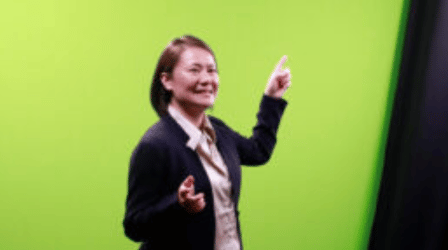
A woman recording a video in the UGA One Button Green Screen Studio

The One Button Green Screen Studio is a simplified video recording setup designed for users without previous video production experience.

The studio allows you to create high-quality, polished video projects without needing technical knowledge of lights and cameras. A green screen option is also available for graphic overlays.

IMPORTANT: Please remember to bring a Mac-compatible 16GB or greater USB flash drive formatted for exFAT. You can use Apple’s Disk Utility Guide for formatting flash drives.

To schedule your session, please use the form below:

One Button Green Screen Studio Reservation Form

CTL offers an on-site editing and audio recording suite at no charge. To reserve this space, please use the following link:

CTL Editing and Audio Recording Suite Reservation Form

CTL is also available to provide technical advice, training, and demonstrations for the One Button Green Screen studio upon submission of a technical demonstration request.

To view more information about the Lightboard policies, please reference below.

General Policies

Users are expected to respect the rights of others, the integrity of the studio resources, and abide by all rules and guidelines put forth in this and any related document. Use of the Green Screen and Lightboard Studios are restricted to UGA faculty, staff, and student usage.

  • Please do not touch / adjust any of the equipment. If you feel adjusting is necessary, please ask for assistance.
  • Upon arrival and exit, please check in at CTL South front desk.
  • No food or drink is allowed in the Green Screen or Lightboard Studio.
  • CTL is not responsible for personal items left behind.
  • CTL is not responsible for damage to a user’s personal items.
  • Respond to emergency alarms and other emergency or non-emergency situations as instructed by CTL staff.
  • CTL reserves the right to halt, delete, or disallow the creation of projects that violate the UGA acceptable use of computers.
  • Keep noise and conversations to a minimum in the waiting areas as there may be other studios in use at the same time.
  • Users are expected to leave rooms as found upon arrival (i.e. location of remote controls, presentation monitor, podium, etc.)
  • If any item in the Green Screen or Lightboard Studio is found to be in a permanently unusable or damaged condition due to user’s direct or intentional actions, user will be subject to charges that include the price of replacing said item(s).
  • If any item in the Green Screen or Lightboard Studio goes missing or is stolen during the requestor’s time of use, the user will be subject to a charge that includes the price of replacing said item(s).

One Button Green Screen Studio Advice

Please reference the document for advice on how to dress, filming with a green screen, planning your videos, using the teleprompter during recording and post-production:

Location and Hours

The Learning Glass Studio is located in the South Plaza of the Center for Teaching and & Learning, between the Psychology and Journalism buildings on the campus of the University of Georgia.

Questions?

For more information, please contact us at 706-542-1582 or email us at [email protected].